Phone · Tablet · Google TV
Your IPTV
on phone and TV
A clean, ad-free player for your own M3U playlists and Xtream Codes API. Touch controls on your phone, full remote control on your TV – one app for both.
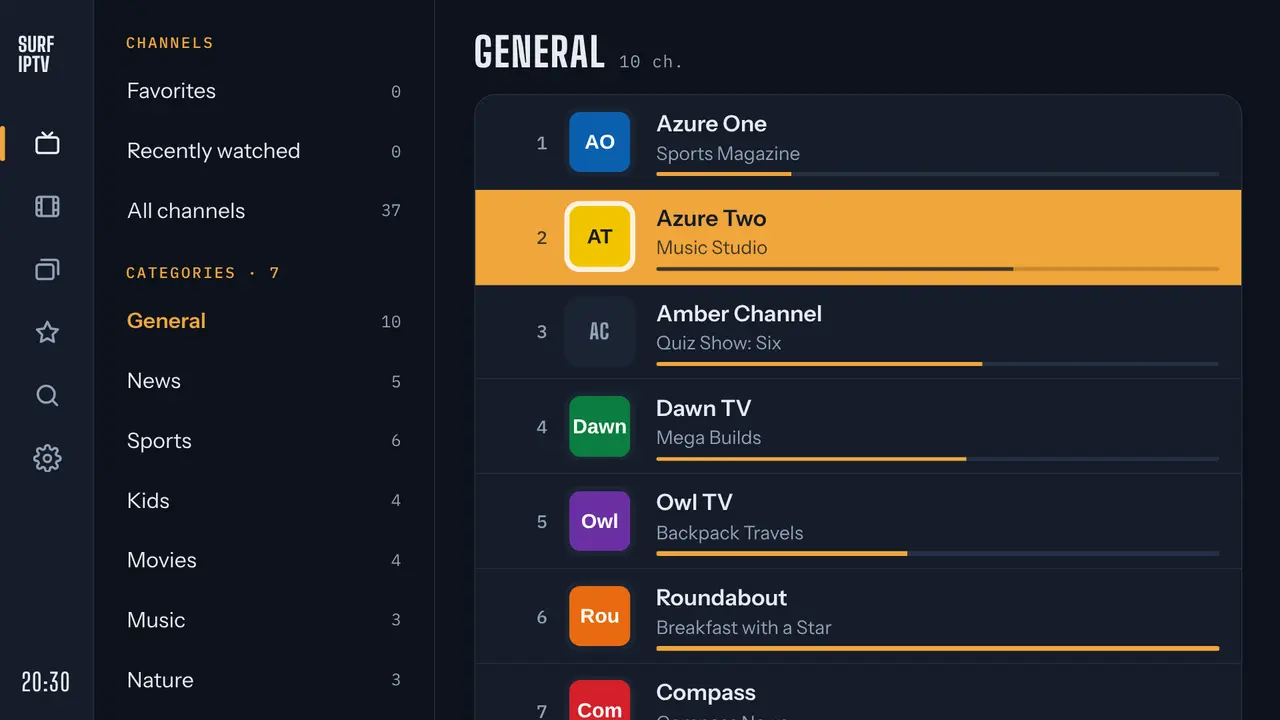
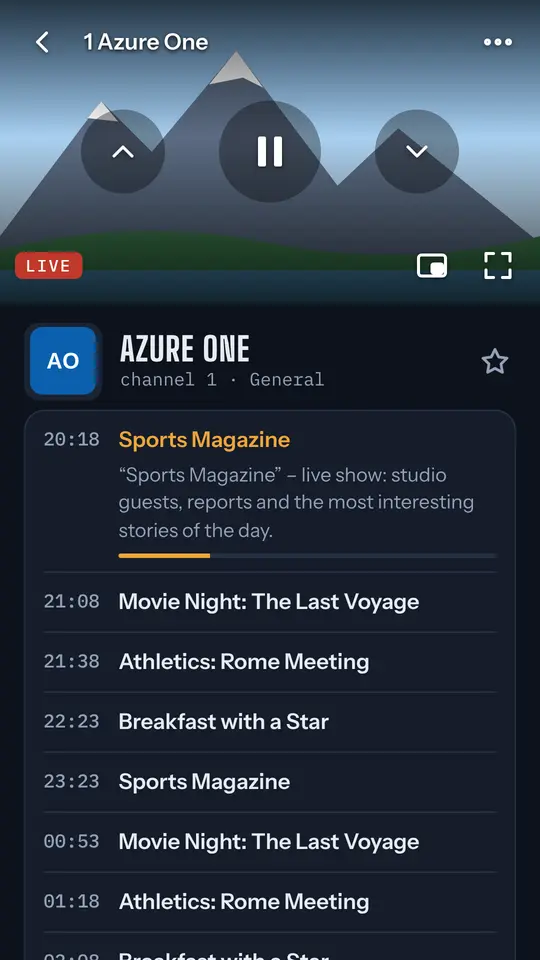
Surf IPTV does not contain any channels, playlists, videos or stream addresses. It is a media player only and is not affiliated with any TV channel, content owner or IPTV provider. You add your own sources and you are responsible for having the right to watch them.
Free: live TV from your sources
Everything you need to watch the streams you already have, with no ads of any kind.
M3U and Xtream Codes API
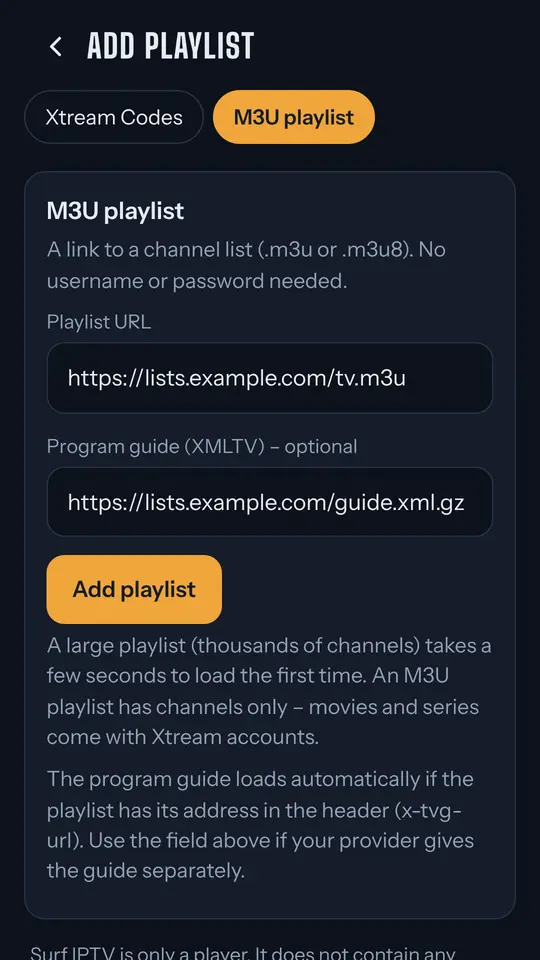
Paste a playlist link – no login needed – or enter the Xtream details from your service.
Programme guide
Xtream EPG or XMLTV, including compressed .xml.gz files.
Find things fast
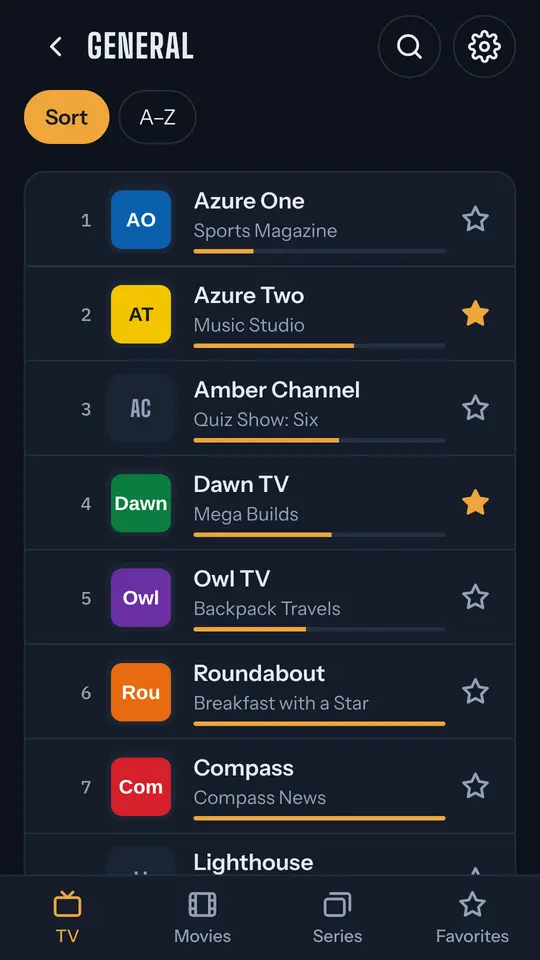
Categories, favourites, recently watched and search across all channels.
Smooth playback
HLS and MPEG-TS streams on Media3 / ExoPlayer, with audio track and subtitle choice.
Made for the remote
On Google TV and Android TV every screen works with the D-pad, no mouse needed.
Picture-in-picture
Keep watching in a small window while you use other apps on your phone.
See what your stream is doing
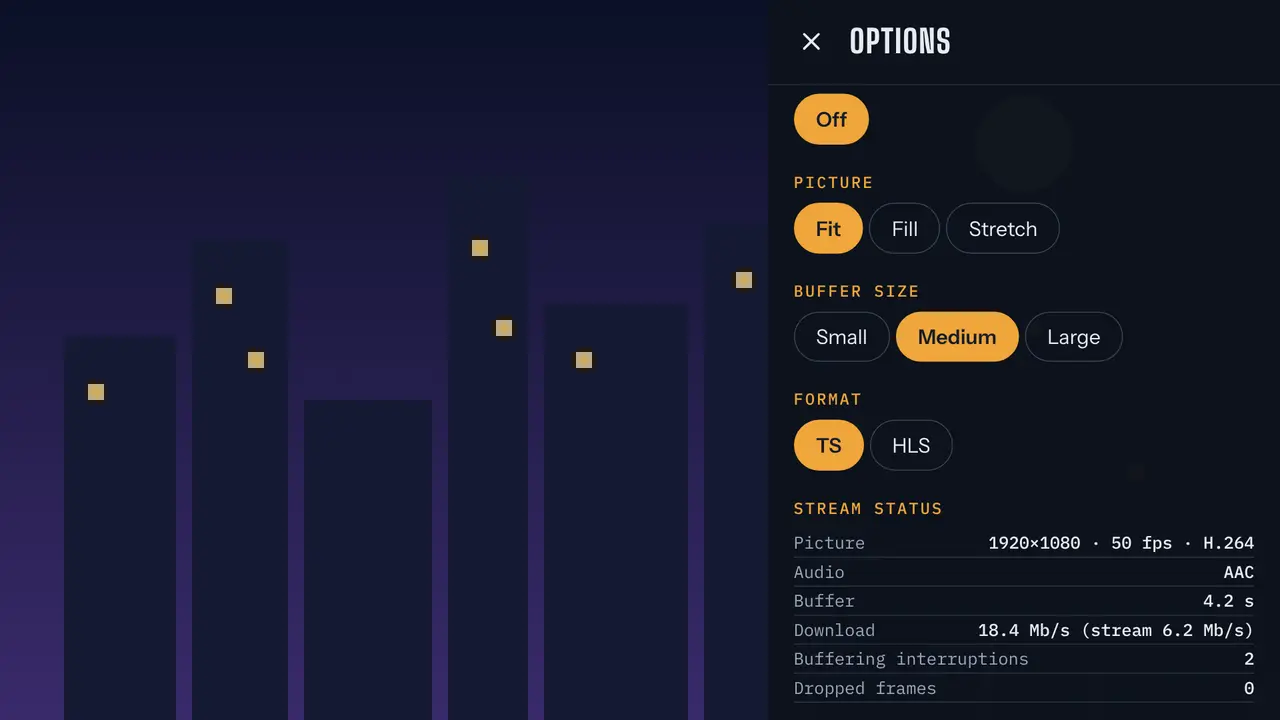
Press ⋯ while watching to open the options. Stream status updates every second and shows whether a problem comes from your connection or from the source.
- Resolution, frame rate and video codec
- Audio format and buffer ahead, in seconds
- Download speed next to the stream's own bitrate
- Buffering interruptions and dropped frames
Buffer size, picture fit and stream format (TS or HLS) can be changed right there, without leaving the channel.
Settings that matter
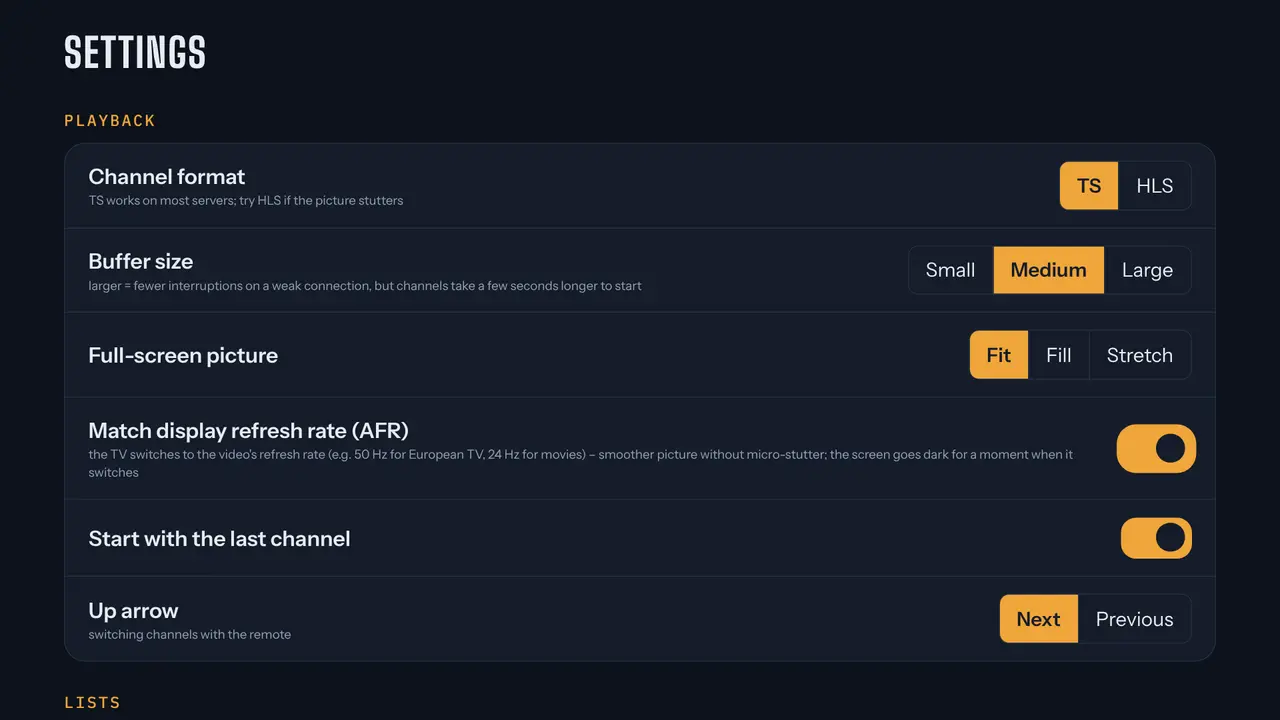
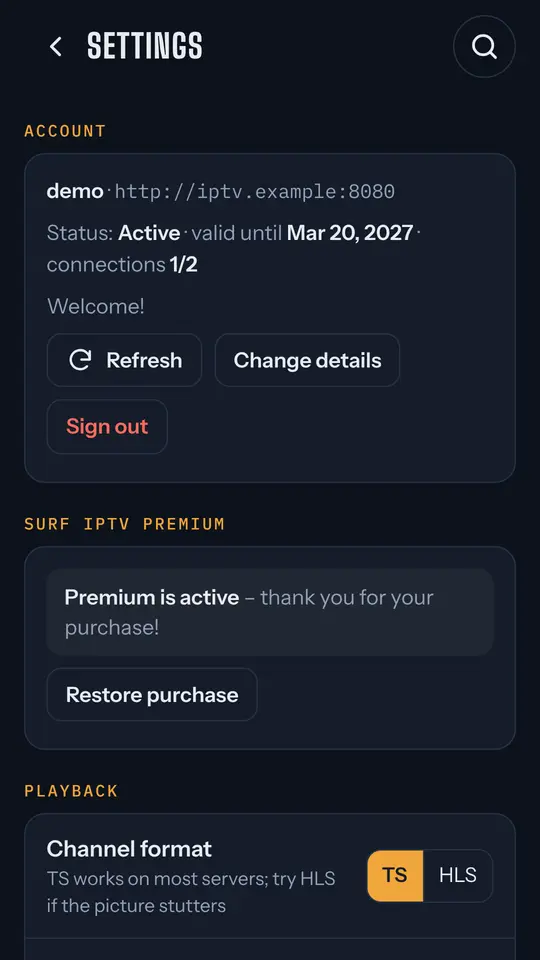
Tune playback to your connection and your TV, and keep only the lists you actually watch.
- Stream format (TS or HLS) and buffer size
- Picture: fit, fill or stretch
- Start with the last channel and choose what the arrow keys do
- Hide categories you never watch
- Light, dark or automatic theme and picture-in-picture on phones
Premium
Try everything for 3 days after installing, then unlock it once. One-time purchase, no subscription.
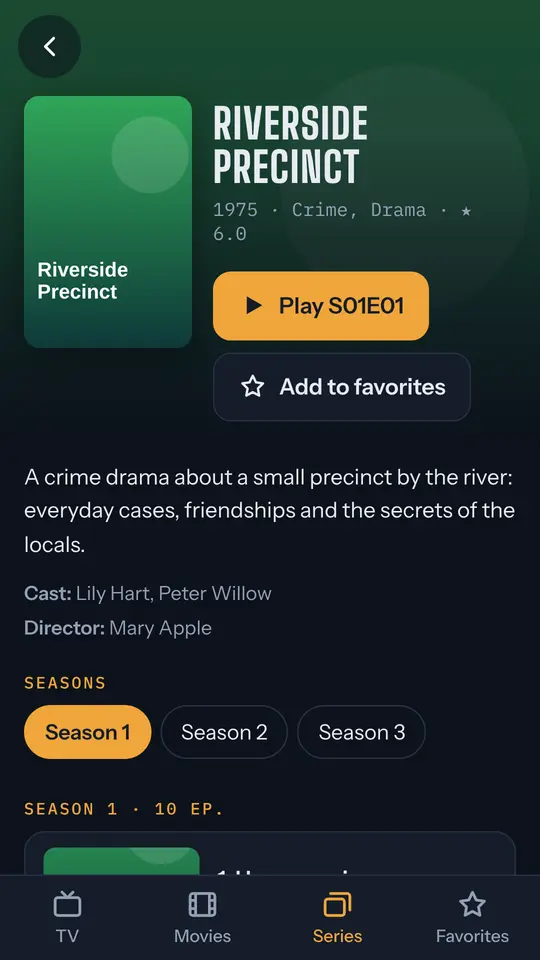
- Movies and series from your Xtream source, with posters, resume and next episode
- Catch-up: start a show over or watch recent programmes, when your source has an archive
- Auto frame rate on TV (50 / 24 Hz) for smooth motion
- Backup and restore of your account, favourites and settings
- New Premium features in future updates at no extra cost
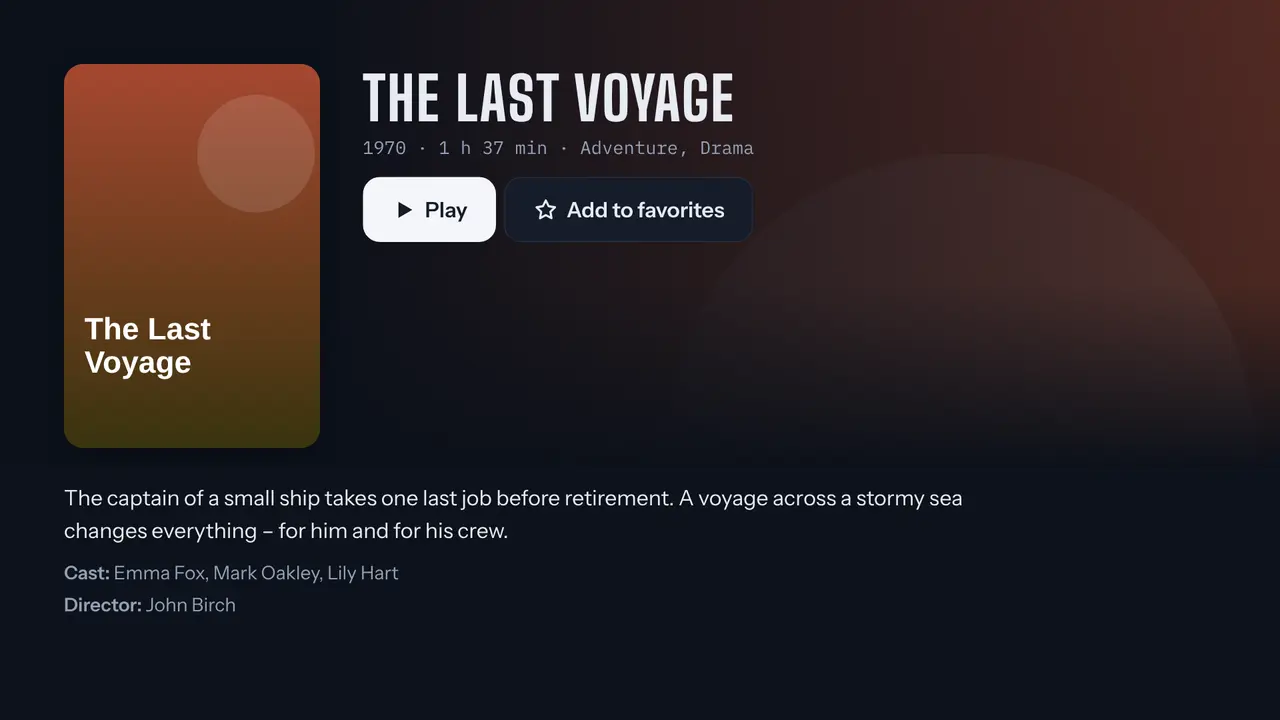
Screenshots
All channels, programmes and posters shown here are made up for the screenshots.
No ads
No banners, no pop-ups and no videos before your streams. The app contains no advertising or analytics libraries.
Private by design
No account with us and no tracking. Your playlist addresses and login details stay on your device, and the app connects only to the servers you add. Privacy policy